Get ready for college with textbooks on Google Play

Posted by muamar Jumat, 09 Agustus 2013 0 komentar
Heading to college? Be prepared for the typical rites of passage: decorating your dorm room, choosing your classes and buying textbooks. And when it comes to buying textbooks from the campus store, some things never change like long lines, limited supplies and heavy backpacks. Or do they?

Rolling out this week, you can now rent or purchase digital textbooks from the Books section on Google Play. We have a long list of publishing partners, and we’re launching with a comprehensive selection of higher education titles from science and mathematics to history and English, and everything in between.

All your textbooks, anywhere you go 
With digital textbooks, there’s no need to worry about which ones you have with you and which ones you left in your dorm room. Because your library is stored in the cloud, you have instant access to the titles you need—when you need them—on your Android tablet, phone, iOS device and on the web. Now an overstuffed backpack is a thing of the past with all your textbooks weighing as much as the device you’re reading them on.


Take great notes, stay organized 
With the Google Play Books app, you have convenient tools at hand to make studying simpler and faster. You can instantly search within a textbook for a particular word or phrase, bookmark chapters and pages, highlight and annotate key passages and get quick access to dictionaries, translation tools, Wikipedia and Google search.


Rent and save 
Need your textbooks for just a semester or two? You can rent any textbook on Google Play for six months and save up to 80% as compared to buying print textbooks.

Shop for textbooks today on Google Play, and learn more at our Google in Education site.

Posted by Scott Dougall, Director, Product Management

Baca Selengkapnya ....

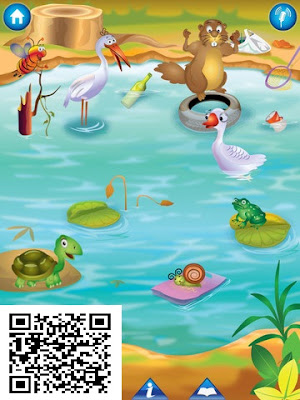
Kids Story eBook Animal Pond

Posted by muamar Senin, 05 Agustus 2013 0 komentar
 As children move through the interactive story, not only do they become friends with a motley bunch of animal characters, but they also learn about the importance of clean water and clean surroundings, taking decisions,
  >>Free Downloading
https://itunes.apple.com/us/app/kids-story-ebook-animal-pond/id674489263<<


If you and your kids love stories and storytelling, this is the ebook for you! The Animal Pond is an educational story, drawing and coloring app for kids and children.

Kids Story eBook Animal pond

WHAT WOULD THE CHILDREN LEARN FROM THIS EDUCATIONAL GAME -
• Read a story
• Learn words
• Read sentences
• Identify shapes
• Draw freehand and color
• Color pages
• Learn the importance of cleanliness, togetherness and teamwork
• Enhance their visual memory
Download this interactive eBook and watch the characters come alive as you read along.
WANT TO KNOW HOW THIS FREE APP COULD BENEFIT YOUR CHILD -

The Animal Pond interactive eBook contains a story that is automatically read out loud in a captivating manner. In order to help kids and children learn to pronounce words, a built-in feature pronounces individual words when the user taps on those words in the story text. As children move through the interactive story, not only do they become friends with a motley bunch of animal characters, but they also learn about the importance of clean water and clean surroundings, taking decisions, appealing to society for change, helping each other in times of need, and much more through activities, drawing, coloring, sketching, etc.

WHAT ARE THE LEARNING ACTIVITIES INSIDE ANIMAL POND Kids Story -

The Animal Pond interactive eBook contains several built-in fun, educational activities that kids and children would love to do over and over again. A variety of drawing, coloring, and sketching tools, combined with an unlimited palette of colors is guaranteed to provide hours of entertainment to your kid. Activities like dialogue recognition and identifying synonyms build cognitive skills, whereas those like writing the moral of the story and sharing it to Facebook help in developing analytical skills, while at the same time being fun, too!

The Animal Pond interactive eBook is a wonderful learning game for enabling kids and children to pick up a variety of cognitive and developmental skills. This app will keep kids and children busy and constructively engaged for hours at a time, while giving them the building blocks for better, enhanced learning throughout their life.


See more for CBSE & NCERT
lesson plansSchool Technologyscience projects for kidslearning management system


Baca Selengkapnya ....

Find your lost phone with Android Device Manager

Posted by muamar Jumat, 02 Agustus 2013 0 komentar
Have you ever lost your phone in between the couch cushions or forgot it in a restaurant? Or maybe searching for your phone before you rush out the door is part of your morning routine? Let the new Android Device Manager help you out! It's one of a few simple features you can use to keep your device—and the data you store inside—safe and secure.

Locate and ring your misplaced device 
If you ended up dropping your phone between those couch cushions, Android Device Manager lets you quickly ring your phone at maximum volume so you can find it, even if it's been silenced. And in the event that your phone or tablet is out of earshot (say, at that restaurant you left it at last night), you can locate it on a map in real time.

You can also remotely add a screen lock to your device through the Android Device Manager. Whether you’re on a phone or a tablet, a screen lock is an important security step to protect the information stored on your device, in case it accidentally gets into the wrong hands. Being able to do this through the Android Device Manager means that even after you lose your phone, you’ll still be able to add a lock (or change an existing lock) to your device.

Protecting your personal information and data
While losing your phone can be stressful, Android Device Manager can help you keep your data from ending up in the wrong hands. If your phone can’t be recovered, or has been stolen, you can quickly and securely erase all of the data on your device.

Availability and getting started 
This service is now available on devices running Android 2.2 or above; to use it, you also will need to be signed into your Google Account. There will also be an Android app to allow you to easily find and manage your devices. Stay tuned!

Posted by Benjamin Poiesz, Product Manager, Android

Updated August 7 to reflect availability of Android Device Manager. Access it at www.android.com/devicemanager.

 Updated September 24 to reflect ability to remotely add screen lock through Android Device Manager.

Baca Selengkapnya ....

Introducing Android 4.3, a sweeter Jelly Bean

Posted by muamar Rabu, 24 Juli 2013 0 komentar
Today we’re releasing Android 4.3 — an upgrade to Jelly Bean that introduces a number of new features, including restricted profiles. Android 4.3 also adds Bluetooth Smart support (a.k.a Bluetooth Low-Energy); the latest in 3D graphics through OpenGL ES 3.0; and more.

Restricted profiles for tablets
Lightweight and portable, tablets are perfect for sharing with others. Last October we added support for multiple users. Each person has a separate space and can freely customize the tablet experience, from lockscreen to wallpaper, apps and folders.

In Android 4.3, we're introducing restricted profiles, which let you manage per-user access to apps and content. Restricted profiles can be used in any number of situations. For example, restricted profiles enable parental controls, so certain family members are prevented from accessing mature content. Alternately, retail stores can use tablets as kiosks that show product information, or shops can use tablets as point of sale systems, all while limiting access to apps.

To set up restricted profiles on your tablet, go to the Users section under Settings. Learn more.


Bluetooth Smart support (a.k.a. Bluetooth Low-Energy)
Fitness sensors and other devices that use Bluetooth Smart technology open the door for a whole new class of mobile applications. Bluetooth Smart minimizes power usage while measuring and transmitting data, making both sensors and the phones or tablets connected to them more battery-efficient.

With Android 4.3, Nexus 4 can now connect to Bluetooth Smart sensors. Runtastic and many other developers are making Android apps compatible with these sensors.


Accelerated 3D graphics with OpenGL ES 3.0
Devices like the new Nexus 7 support OpenGL ES 3.0, the latest industry standard for accelerated 3D graphics. This brings photorealism to a whole new level in the games you're playing: blades of grass on the soccer field come alive, asphalt on the street looks real as you screech by, stubble on a villains' face almost pokes out of the screen. And with sophisticated effects like self-shadows, that villain looks even more menacing, casting a shadow on himself.


Dial pad autocomplete
With Android 4.3 we’ve introduced a new autocomplete feature in the dial pad. Just start touching numbers or letters and the dial pad will suggest phone numbers or names. To turn on this feature, open your phone app settings and enable “Dial pad autocomplete”.

Improved support for Hebrew, Arabic, Hindi, and more
We’ve made major progress on enabling right-to-left layouts across the platform user interface: dialer, home and lock screens, settings, and more. This work builds on the support that we introduced for right-to-left layouts for Hebrew and Arabic speakers in Android 4.2. We’ve also added support for Hindi, Afrikaans, Amharic, Swahili, and Zulu.


There’s more to Android 4.3 than we can fit in this post, so for a detailed list of changes, click here.

Android 4.3 is now rolling out now to Nexus devices, and will be available on the new Nexus 7 and Google Play edition devices soon. Let us know what you think on our Google+ page for Android.

Posted by Dave Burke and Gabe Cohen, Android Platform team

Baca Selengkapnya ....

From TVs to tablets: Everything you love, across all your screens

Posted by muamar 0 komentar
When I was growing up, my family had a single screen we huddled around every day: the television set in the living room. Nowadays, we “huddle” around multiple screens—laptops, smartphones and tablets—using them almost interchangeably as we navigate through our day. In a world of ubiquitous computing, life would be a lot simpler if we didn’t have to learn new behaviors and interfaces each time we switched screens—if we could have one consistent, intuitive experience no matter where we are or what we’re doing. Today, with the launch of Chromecast and the new Nexus 7 tablet, it’s even more effortless to enjoy content you care about—whether it’s video, music, movies, games—wherever you are, across your devices. Introducing ChromecastTo help make it easy to bring your favorite online entertainment to the biggest screen in your house—the TV—we’re introducing Chromecast. Chromecast is a small and affordable ($35) device that you simply plug in to your high-definition (HD) TV and it allows you to use your phone, tablet or laptop to "cast" online content to your TV screen. It works with Netflix, YouTube, Google Play Movies & TV, and Google Play Music, with more apps like Pandora coming soon. With Chromecast, we wanted to create an easy solution that works for everyone, for every TV in the house.


Remote-freeOnce your Chromecast is set up, you can use your phone, tablet or laptop to browse and cast content to your TV, play and pause, control the volume, and more. But unlike other streaming solutions, you can still multitask—send emails or surf the web—while enjoying what’s on the TV screen. It works across platforms—Android tablets and smartphones, iPhones, iPads, Chrome for Mac and Windows (more to come), so your personal device is also now your remote control. Cast the web to your TVIn addition to apps like Netflix, you can use Chromecast to bring a broad range of content available on the web to your big screen, thanks to a new feature in the Chrome browser that allows you to project any browser tab to your TV. From sharing your family photos to enjoying a video clip from your favorite news site, it’s as simple as pressing a button. This feature is launching in beta, but we’re excited for people to try it out and give us their feedback.

 
Google Cast SDK preview for developersTo ensure a great Chromecast experience over time, we've built Google Cast, a technology that enables developers to build consistent, intuitive multi-screen experiences across mobile devices and TVs. Today, we’re launching a preview version of Google Cast with more information for developers on our Google Developers blog. A handful of early developers are already working on enabling Google Cast technology in their apps, so more supported apps are coming soon. And while the Chromecast device is the first instantiation of Google Cast, we expect the technology to be embedded in a range of hardware from our partners in the future.


The new Nexus 7—the sharpest 7” tablet screen everTogether with ASUS, we took what you loved about the original Nexus 7 and made it even better. The first thing you’ll notice is the sharpness of the screen: the 323 pixels packed into every inch of the screen makes it the world's highest-resolution 7-inch tablet. It’s lighter than ever, with more than nine hours of HD video playback and 10 hours of web browsing or reading. Nexus 7 now features stereo speakers and virtual surround sound from Fraunhofer (the inventors of the MP3 format), giving you rich and immersive audio. Android 4.3—a sweeter Jelly BeanNexus 7 is the first device to ship with Android 4.3, the newest version of Android. Tablets are perfect for sharing with others, so in Android 4.3, we're introducing restricted profiles, which let you limit access to apps and content. For example, restricted profiles enable parental controls, so certain family members are prevented from accessing mature content. Likewise, retail stores can use tablets to show off product information, and shops can use tablets as point of sale systems. Android 4.3 also now supports Bluetooth Smart technology, opening the door to mobile apps that connect to new devices like fitness sensors. Android 4.3 is rolling out to Nexus devices starting today. Ready to PlayThe new Google Play Games app brings your friends together with the games you love, where you can invite a friend and start challenging gamers around the world, compete for top achievements, and race to the top of the leaderboard. You can also enjoy the world’s largest collection of eBooks, listen to millions of music tracks and immerse yourself in thousands of movies, TV shows, magazines and apps on Google Play. Plus, Nexus 7 comes loaded with your favorite Google apps, like Chrome, Maps, YouTube, Gmail and Google Now.

 
How to get Chromecast and the new Nexus 7Starting today, the Chromecast device is available for $35 on Google Play, Amazon.com and BestBuy.com. It will be available in Best Buy stores across the U.S. starting July 28. For a limited time, you also get three months of Netflix included. More info available in Google Play. Nexus 7 starts at $229, and is available in the U.S. beginning July 30 (with more countries coming soon!). Buy Nexus 7 online on Google Play, or check it out at Best Buy, Gamestop, Walmart, Staples, Office Max, Office Depot, Amazon, Home Shopping Network, Radio Shack, J&R and B&H Photo. Nexus 7 (LTE) is coming soon with support for T-Mobile and Verizon in the coming weeks. Learn more on our Nexus site.

Baca Selengkapnya ....

Medieval v2.91 APK | Android Games Download

Posted by muamar Jumat, 12 Juli 2013 0 komentar

Required: Android 2.1 ++
Version: 2.91


For those wondering, this full version of Medieval has UNLIMITED levels - that's right.. forever! Our current record sits @ Level 26095 on Normal... Adding a global leaderboard to Android soon!
=> Fast-Fire is 'cheat' mode. For the real experience, play on 'Normal' or 'Hard'. Otherwise, you'll find it too easy!
Legions of Medieval and Medieval HD fans around the world have spoken and after 2 MILLION+ iOS downloads, Medieval is finally available on Android!

Welcome to Medieval - tower defense at it’s finest. Stunning graphics, outstanding audio, and addictive gameplay combine to make a gaming experience of epic proportions supporting both Tablets and Phones.
Simply Tap the screen to unleash various diabolical Medieval weapons on the legions of enemy forces that threaten your Castle and your honor.
Leave the magic fairies, silly plants, and spells to the others - Medieval is hardcore castle defense in its purest and most satisfying form. Where archers and armour, bombs and boulders, catapults and cauldrons...all battle it out in defense of your castle and your honor.

Reviews:
 
"Between the great graphics, realistic sounds, and addictive gameplay, you quickly find yourself fully immersed in the world of Medieval as hours slide by." Score: 4.5/5 - Macworld
"The best graphics of any castle defense game on the App Store by a wide margin." - Frapstr.com
"Graphics go from polished to stunning...colors are vibrant and the level of detail is impressive." Score: 5/5 - AppSmile.com
"A game that will stay on my iPhone for quite a while." Score: 4.2/5 - AppVee.com
"This is a great game for any age." Given top rating of 'Best' - AppReview.com
"An awesome game." - AppChatter.com

Features:

• 4 Game Modes: Easy, Medium, Hard, and FAST FIRE for a finger-tapping frenzy!
• 3 Different Shooting Modes: Auto Fire, Show Arc, Drag Fire.
• 6 Different troop types including war machines like Catapults and fast moving cavalry Raiders.
• Tailor your forces to suit your personal style of warfare
• 8 Unique weapons such as flaming arrows and powerful multi-shots - each with multiple upgrades available for maximum devastation.

Market: Google Play
Screenshot

Medieval Full APK Android
Link download
  

Baca Selengkapnya ....

Crazy Taxi APK + SD Data | Android Games Download

Posted by muamar 0 komentar

Required: Android 2.2 ++
Version: 1.0.0

Come on over and have some fun with Crazy Taxi! Barrel through traffic packed streets, hurdle off parking garages, and crazy combo your way to crazy money in a wild frantic race to scare up the most fares. In Crazy Taxi, time is money, and only the craziest cabbies come out victorious.

TRANSPORT BACK TO 2000
-Remastered for mobile devices based on the hugely popular Dreamcast Classic
-Rock out to original music by The Offspring and Bad Religion


FIERCE ENVIRONMENTS TO MAKE YOUR PASSENGERS GO INSANE
-Extra large hills for extra long hang time
-Parked transporters with conveniently angled ramps
-Occasional deep sea exploration opportunities


DONT GET TOO DELIRIOUS
-Choose from 3, 5 or 10 minute game play in Arcade Mode and Original Mode
-Play in touch or tilt control modes


OTHER FEATURES:
-Continue the madness with 16 Mini games
-Listen to tracks from your own music playlist
-Universal Build - Buy once and play across multiple devices
-Controller Support - Play with your Power A Moga, Xbox, and all HID controllers!


Market : Google Play

Screenshot

Crazy Taxi APK + SD Data for Android


How to Install Crazy Taxi v1.0.0 for Android

1. Copy 'com.sega.CrazyTaxi' folder to 'sdcard/Android/Obb/'
2. Install APK
3. Launch Game


Link download

APK

Download Crazy Taxi v1.0.0 APK for Android

SD DATA


Baca Selengkapnya ....
Trik SEO Terbaru support Online Shop Baju Wanita - Original design by Bamz | Copyright of android list.